- A List of Writing Contests in 2022 | Exciting Prizes!
- Em Dash vs. En Dash vs. Hyphen: When to Use Which
- Book Proofreading 101: The Beginner’s Guide
- Screenplay Editing: Importance, Cost, & Self-Editing Tips
- Screenplay Proofreading: Importance, Process, & Cost
- Script Proofreading: Rates, Process, & Proofreading Tips
- Manuscript Proofreading | Definition, Process & Standard Rates
- Tips to Write Better if English Is Your Second Language
- Novel Proofreading | Definition, Significance & Standard Rates
- Top 10 Must-Try Writing Prompt Generators in 2024
- 100+ Creative Writing Prompts for Masterful Storytelling
- Top 10 eBook Creator Tools in 2024: Free & Paid
- 50 Timeless and Unforgettable Book Covers of All Time
- What Is Flash Fiction? Definition, Examples & Types
- 80 Enchanting Christmas Writing Prompts for Your Next Story
- Your Guide to the Best eBook Readers in 2024
- Top 10 Book Review Clubs of 2025 to Share Literary Insights
- 2024’s Top 10 Self-Help Books for Better Living
- Writing Contests 2023: Cash Prizes, Free Entries, & More!
- What Is a Book Teaser and How to Write It: Tips and Examples
- Audiobook vs. EBook vs. Paperback in 2024: (Pros & Cons)
- How to Get a Literary Agent in 2024: The Complete Guide
- Alpha Readers: Where to Find Them and Alpha vs. Beta Readers
- Author Branding 101: How to Build a Powerful Author Brand
- A Guide on How to Write a Book Synopsis: Steps and Examples
- How to Write a Book Review (Meaning, Tips & Examples)
- 50 Best Literary Agents in the USA for Authors in 2024
- Building an Author Website: The Ultimate Guide with Examples
- Top 10 Paraphrasing Tools for All (Free & Paid)
- Top 10 Book Editing Software in 2024 (Free & Paid)
- What Are Large Language Models and How They Work: Explained!
- Top 10 Hardcover Book Printing Services [Best of 2024]
- 2024’s Top 10 Setting Generators to Create Unique Settings
- Different Types of Characters in Stories That Steal the Show
- Top 10 Screenplay & Scriptwriting Software (Free & Paid)
- 10 Best AI Text Generators of 2024: Pros, Cons, and Prices
- Top 10 Must-Try Character Name Generators in 2024
- 10 Best AI Text Summarizers in 2024 (Free & Paid)
- 2024’s 10 Best Punctuation Checkers for Error-Free Text
- 11 Best Story Structures for Writers (+ Examples!)
- How to Write a Book with AI in 2024 (Free & Paid Tools)
- Writing Contests 2024: Cash Prizes & Free Entries!
- Patchwork Plagiarism: Definition, Types, & Examples
- Simple Resume Formats for Maximum Impact With Samples
- What Is a Complement in a Sentence? (Meaning, Types & Examples)
- What are Clauses? Definition, Meaning, Types, and Examples
- Persuasive Writing Guide: Techniques & Examples
- How to Paraphrase a Text (Examples + 10 Strategies!)
- A Simple Proofreading Checklist to Catch Every Mistake
- Top 10 AI Resume Checkers for Job Seekers (Free & Paid)
- 20 Best Comic Book Covers of All Time!
- How to Edit a Book: A Practical Guide with 7 Easy Steps
- How to Write an Autobiography (7 Amazing Strategies!)
- How to Publish a Comic Book: Nine Steps & Publishing Costs
- Passive and Active Voice (Meaning, Examples & Uses)
- How to Publish a Short Story & Best Publishing Platforms
- What Is Expository Writing? Types, Examples, & 10 Tips
- 10 Best Introduction Generators (Includes Free AI Tools!)
- Creative Writing: A Beginner’s Guide to Get Started
- How to Sell Books Online (Steps, Best Platforms & Tools)
- Top 10 Book Promotion Services for Authors (2025)
- 15 Different Types of Poems: Examples & Insight into Poetic Styles
- 10 Best Book Writing Apps for Writers 2025: Free & Paid!
- Top 10 AI Humanizers of 2025 [Free & Paid Tools]
- How to Write a Poem: Step-by-Step Guide to Writing Poetry
- 100+ Amazing Short Story Ideas to Craft Unforgettable Stories
- The Top 10 Literary Devices: Definitions & Examples
- Top 10 AI Translators for High-Quality Translation in 2025
- Top 10 AI Tools for Research in 2025 (Fast & Efficient!)
- 50 Best Essay Prompts for College Students in 2025
- Top 10 Book Distribution Services for Authors in 2025
- Best 101 Greatest Fictional Characters of All Time
- Top 10 Book Title Generators of 2025
- Best Fonts and Sizes for Books: A Complete Guide
- What Is an Adjective? Definition, Usage & Examples
- How to Track Changes in Google Docs: A 7-Step Guide
- Best Book Review Sites of 2025: Top 10 Picks
- Parts of a Book: A Practical, Easy-to-Understand Guide
- What Is an Anthology? Meaning, Types, & Anthology Examples
- How to Write a Book Report | Steps, Examples & Free Template
- 10 Best Plot Generators for Engaging Storytelling in 2025
- 30 Powerful Poems About Life to Inspire and Uplift You
- What Is a Poem? Poetry Definition, Elements, & Examples
- Metonymy: Definition, Examples, and How to Use It In Writing
- How to Write a CV with AI in 9 Steps (+ AI CV Builders)
- What Is an Adverb? Definition, Types, & Practical Examples
- How to Create the Perfect Book Trailer for Free
- Top 10 Book Publishing Companies in 2025
- 14 Punctuation Marks: A Guide on How to Use with Examples!
- Translation Services: Top 10 Professional Translators (2025)
- 10 Best Free Online Grammar Checkers: Features and Ratings
- 30 Popular Children’s Books Teachers Recommend in 2025
- 10 Best Photobook Makers of 2025 We Tested This Year
- Top 10 Book Marketing Services of 2025: Features and Costs
- Top 10 Book Printing Services for Authors in 2025
- 10 Best AI Detector Tools in 2025
- Audiobook Marketing Guide: Best Strategies, Tools & Ideas
- 10 Best AI Writing Assistants of 2025 (Features + Pricing)
- How to Write a Book Press Release that Grabs Attention
- 15 Powerful Writing Techniques for Authors in 2025
- Generative AI: Types, Impact, Advantages, Disadvantages
- Top 101 Bone-Chilling Horror Writing Prompts
- 25 Figures of Speech Simplified: Definitions and Examples
- Top 10 AI Rewriters for Perfect Text in 2025 (Free & Paid)
- Best EBook Cover Design Services of 2025 for Authors
- Writing Contests 2025: Cash Prizes, Free Entries, and More!
- Top 10 Book Writing Software, Websites, and Tools in 2025
- National Novel Writing Month (NaNoWriMo)
- Best Horror Books of All Time (Must-Read List)
- Best Book Trailer Services
- What is a Book Copyright Page?
- Final Checklist: Is My Article Ready for Submitting to Journals?
- 8 Pre-Publishing Steps to Self-Publish Your Book
- 7 Essential Elements of a Book Cover Design
- How to Copyright Your Book in the US, UK, & India
- Beta Readers: Why You Should Know About Them in 2024
- How to Publish a Book in 2024: Essential Tips for Beginners
- Book Cover Design Basics: Tips & Best Book Cover Ideas
- Why and How to Use an Author Pen Name: Guide for Authors
- How to Format a Book in 2025: 7 Tips for Book Formatting
- What is Manuscript Critique? Benefits, Process, & Cost
- 10 Best Ghostwriting Services for Authors in 2025
- ISBN Guide 2025: What Is an ISBN and How to Get an ISBN
- Best Manuscript Editing Services of 2025
- How to Hire a Book Editor in 5 Practical Steps
- Self-Publishing Options for Writers
- How to Promote Your Book Using a Goodreads Author Page
- 7 Essential Elements of a Book Cover Design
- What Makes Typesetting a Pre-Publishing Essential for Every Author?
- 4 Online Publishing Platforms To Boost Your Readership
- Typesetting: An Introduction
- Quick Guide to Novel Editing (with a Self-Editing Checklist)
- Self-Publishing vs. Traditional Publishing: 2024 Guide
- How to Publish a Book in 2024: Essential Tips for Beginners
- How to Publish a Book on Amazon: 8 Easy Steps [2024 Update]
- What are Print-on-Demand Books? Cost and Process in 2024
- What Are the Standard Book Sizes for Publishing Your Book?
- How to Market Your Book on Amazon to Maximize Sales in 2024
- Top 10 Hardcover Book Printing Services [Best of 2024]
- How to Find an Editor for Your Book in 8 Steps (+ Costs!)
- What Is Amazon Self-Publishing? Pros, Cons & Key Insights
- Manuscript Editing in 2024: Elevating Your Writing for Success
- Know Everything About How to Make an Audiobook
- A Simple 14-Point Self-Publishing Checklist for Authors
- How to Write an Engaging Author Bio: Tips and Examples
- Book Cover Design Basics: Tips & Best Book Cover Ideas
- How to Publish a Comic Book: Nine Steps & Publishing Costs
- Why and How to Use an Author Pen Name: Guide for Authors
- How to Sell Books Online (Steps, Best Platforms & Tools)
- A Simple Guide to Select the Best Self-Publishing Websites
- 10 Best Book Cover Design Services of 2025: Price & Ratings
- How Much Does It Cost to Self-Publish a Book in 2025?
- Quick Guide to Book Editing [Complete Process & Standard Rates]
- How to Distinguish Between Genuine and Fake Literary Agents
- What is Self-Publishing? Everything You Need to Know
- How to Copyright a Book in 2025 (Costs + Free Template)
- The Best eBook Conversion Services of 2025: Top 10 Picks
- 10 Best Self-Publishing Companies of 2025: Price & Royalties
- 10 Best Photobook Makers of 2025 We Tested This Year
- Book Cover Types: Formats, Bindings & Styles
- ISBN Guide 2025: What Is an ISBN and How to Get an ISBN
- A Beginner’s Guide on How to Self Publish a Book (2025)
- Index in a Book: Definition, Purpose, and How to Use It
- How to Publish a Novel: Easy Step-By-Step Guide
- How to start your own online publishing company?
- 8 Tips To Write Appealing Query Letters
- Self-Publishing vs. Traditional Publishing: 2024 Guide
- How to Publish a Book in 2024: Essential Tips for Beginners
- What are Print-on-Demand Books? Cost and Process in 2024
- How to Write a Query Letter (Examples + Free Template)
- Third-person Point of View: Definition, Types, Examples
- How to Write an Engaging Author Bio: Tips and Examples
- How to Publish a Comic Book: Nine Steps & Publishing Costs
- Top 10 Book Publishing Companies in 2025
- 10 Best Photobook Makers of 2025 We Tested This Year
- Book Cover Types: Formats, Bindings & Styles
- ISBN Guide 2025: What Is an ISBN and How to Get an ISBN
- Index in a Book: Definition, Purpose, and How to Use It
- How to Publish a Novel: Easy Step-By-Step Guide
- How to Create Depth in Characters
- Starting Your Book With a Bang: Ways to Catch Readers’ Attention
- Research for Fiction Writers: A Complete Guide
- Short stories: Do’s and don’ts
- How to Write Dialogue: 7 Rules, 5 Tips & 65 Examples
- What Are Foil and Stock Characters? Easy Examples from Harry Potter
- How To Write Better Letters In Your Novel
- On Being Tense About Tense: What Verb Tense To Write Your Novel In
- How To Create A Stellar Plot Outline
- How to Punctuate Dialogue in Fiction
- On Being Tense about Tense: Present Tense Narratives in Novels
- The Essential Guide to Worldbuilding [from Book Editors]
- What Is Point of View? Definition, Types, & Examples in Writing
- How to Create Powerful Conflict in Your Story | Useful Examples
- How to Write a Book: A Step-by-Step Guide
- How to Write a Short Story in 6 Simple Steps
- How to Write a Novel: 8 Steps to Help You Start Writing
- What Is a Stock Character? 150 Examples from 5 Genres
- Joseph Campbell’s Hero’s Journey: Worksheet & Examples
- Novel Outline: A Proven Blueprint [+ Free Template!]
- Character Development: 7-Step Guide for Writers
- What Is NaNoWriMo? Top 7 Tips to Ace the Writing Marathon
- What Is the Setting of a Story? Meaning + 7 Expert Tips
- What Is a Blurb? Meaning, Examples & 10 Expert Tips
- What Is Show, Don’t Tell? (Meaning, Examples & 6 Tips)
- How to Write a Book Summary: Example, Tips, & Bonus Section
- How to Write a Book Description (Examples + Free Template)
- 10 Best Free AI Resume Builders to Create the Perfect CV
- A Complete Guide on How to Use ChatGPT to Write a Resume
- 10 Best AI Writer Tools Every Writer Should Know About
- How to Write a Book Title (15 Expert Tips + Examples)
- 100 Novel and Book Ideas to Start Your Book Writing Journey
- Exploring Writing Styles: Meaning, Types, and Examples
- Mastering Professional Email Writing: Steps, Tips & Examples
- How to Write a Screenplay: Expert Tips, Steps, and Examples
- Business Proposal Guide: How to Write, Examples and Template
- Different Types of Resumes: Explained with Tips and Examples
- How to Create a Memorable Protagonist (7 Expert Tips)
- How to Write an Antagonist (Examples & 7 Expert Tips)
- Writing for the Web: 7 Expert Tips for Web Content Writing
- 10 Best AI Text Generators of 2024: Pros, Cons, and Prices
- What are the Parts of a Sentence? An Easy-to-Learn Guide
- What Is Climax Of A Story & How To Craft A Gripping Climax
- What Is a Subject of a Sentence? Meaning, Examples & Types
- Object of a Sentence: Your Comprehensive Guide
- What Is First-Person Point of View? Tips & Practical Examples
- Second-person Point of View: What Is It and Examples
- 10 Best AI Essay Outline Generators of 2024
- Third-person Point of View: Definition, Types, Examples
- The Importance of Proofreading: A Comprehensive Overview
- Patchwork Plagiarism: Definition, Types, & Examples
- Simple Resume Formats for Maximum Impact With Samples
- The Ultimate Guide to Phrases In English – Types & Examples
- Modifiers: Definition, Meaning, Types, and Examples
- What are Clauses? Definition, Meaning, Types, and Examples
- Persuasive Writing Guide: Techniques & Examples
- What Is a Simile? Meaning, Examples & How to Use Similes
- Mastering Metaphors: Definition, Types, and Examples
- How to Publish a Comic Book: Nine Steps & Publishing Costs
- Essential Grammar Rules: Master Basic & Advanced Writing Skills
- Benefits of Using an AI Writing Generator for Editing
- Hyperbole in Writing: Definition and Examples
- 15 Best ATS-Friendly ChatGPT Prompts for Resumes in 2025
- How to Write a Novel in Past Tense? 3 Steps & Examples
- 10 Best Spell Checkers of 2025: Features, Accuracy & Ranking
- Foil Character: Definition, History, & Examples
- 5 Key Elements of a Short Story: Essential Tips for Writers
- How to Write a Children’s Book: An Easy Step-by-Step Guide
- How To Write a Murder Mystery Story
- What Is an Adjective? Definition, Usage & Examples
- Metonymy: Definition, Examples, and How to Use It In Writing
- Fourth-Person Point of View: A Unique Narrative Guide
- How to Write a CV with AI in 9 Steps (+ AI CV Builders)
- What Is an Adverb? Definition, Types, & Practical Examples
- How to Write A Legal Document in 6 Easy Steps
- 10 Best AI Story Generators in 2025: Write Captivating Tales
- How to Introduce a Character Effectively
- What is Rhetoric and How to Use It in Your Writing
- How to Write a Powerful Plot in 12 Steps
- How to Make Money as a Writer: Your First $1,000 Guide
- How to Write SEO Content: Tips for SEO-Optimized Content
- Types of Introductions and Examples
- What is a Cliffhanger? Definition, Examples, & Writing Tips
- How to Write Cliffhangers that Keep Readers Hooked!
- How to Write a Romance Novel: Step-by-Step Guide
- Top 10 Writing Tips from Famous Authors
- 10 Best Ghostwriting Services for Authors in 2025
- What is Ghostwriting? Meaning and Examples
- How to Become a Ghostwriter: Complete Career Guide
- How to Write a Speech that Inspires (With Examples)
- Theme of a Story | Meaning, Common Themes & Examples
- 10 Best AI Writing Assistants of 2025 (Features + Pricing)
- Generative AI: Types, Impact, Advantages, Disadvantages
- Worldbuilding Questions and Templates (Free)
- How to Avoid Plagiarism in 2025 (10 Effective Strategies!)
- How to Create Marketing Material
- What Is Worldbuilding? Steps, Tips, and Examples
- How to Avoid AI Detection in 2025 (6 Proven Techniques!)
- What is Syntax in Writing: Definition and Examples
- What is a Subplot? Meaning, Examples & Types
- Writing Challenges Every Writer Should Take
Still have questions? Leave a comment
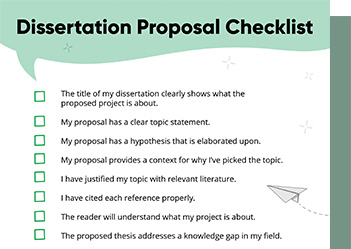
Checklist: Dissertation Proposal
Enter your email id to get the downloadable right in your inbox!
[contact-form-7 id="12425" title="Checklist: Dissertation Proposal"]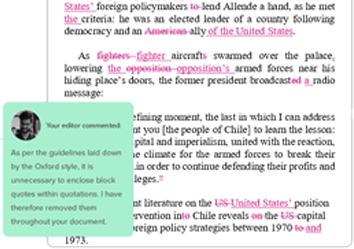
Examples: Edited Papers
Enter your email id to get the downloadable right in your inbox!
[contact-form-7 id="12426" title="Examples: Edited Papers"]Need
Editing and
Proofreading Services?
10 Best Book Formatting Software for Authors in 2024
 Jan 23, 2024
 7
min read
7
min read
In the world of publishing, the presentation of a book is just as crucial as its content. This is where book formatting software steps in, bridging the gap between raw manuscript and polished work. They provide many features, from basic text layout to intricate design elements, ensuring that a book is readable and visually appealing.
This article delves into the 10 best book formatting software of 2024, examining their features, usability, and how they can transform your manuscript into a publication-ready masterpiece. We have included free book formatting software as well as paid. Whether you’re a first-time author or a seasoned publisher, this guide will help you navigate the landscape of book formatting solutions!
Here are some of the best book layout software you can use to format your book:
1. Apache OpenOffice
Apache OpenOffice is a versatile and free book formatting software suite, widely recognized for its word-processing component, Writer, which is particularly useful for book formatting. The software supports a variety of page layout options, enabling authors to effortlessly adjust margins, spacing, headers, and footers to meet specific publishing standards. Features like the ability to generate automatic tables of contents, indices, and bibliographies streamline the formatting process.
Pros
- Apache OpenOffice supports a wide range of document formats.
- It offers a comprehensive set of features for long document management.
- OpenOffice offers a user-friendly interface with customizable toolbars and menus, enhancing efficiency and ease of use for all levels of users.
Cons
- Apache OpenOffice may lack some of the advanced formatting and design features found in more specialized or newer book formatting software.
- The user interface and tools can feel outdated compared to more modern office suites, potentially leading to a steeper learning curve for new users.
- As an open-source project, it might not offer the same level of customer support or regular updates as commercial software.
Pricing: Apache OpenOffice is a free typesetting software.
Rating: Apache OpenOffice has a rating of 4.4/5 on GetApp and a rating of 8.4/10 on TrustRadius.
2. Atticus
Atticus is one of the best book layout software designed specifically for authors and publishers. Its key features include the ability to manage chapters and sections efficiently, integrate with writing tools, and offer a wide range of formatting options. This focus on book-specific design elements makes Atticus a preferred choice of book layout design software for many self-publishing authors.
Pros
- Atticus offers a wide range of customizable formatting options, allowing authors to tailor the layout and design of their books to suit various genres and styles.
- Designed with a user-friendly interface, Atticus simplifies the book formatting process.
- Atticus seamlessly integrates with popular writing tools and platforms, facilitating a smooth transition from the writing phase to the formatting and publishing stages.
Cons
- Atticus may offer fewer pre-made chapter themes compared to other software.
- Currently lacks features for plotting and other advanced writing tools.
- Offers limited choices for drop caps.
Pricing: One cannot get the Atticus book formatting software for free. It requires a one-time payment of US $147.
Rating: Atticus has a rating of 4.9/5 on Trustpilot.
3. Kindle Create
Kindle Create is a specialized book design software tool designed for formatting books for publishing on Amazon’s Kindle platform. It allows authors to convert manuscripts into Kindle formats, ensuring compatibility across Kindle devices and applications. Kindle Create supports the customization of chapter titles, layouts, and styles, maintaining the book’s aesthetic and readability. It includes tools for formatting text and paragraphs, and for adding images and interactive elements like hyperlinks.
Pros
- Kindle Create offers intuitive design and typesetting tools, making it easy for authors to format and customize their eBooks without extensive technical knowledge.
- It provides seamless integration with Amazon’s Kindle Direct Publishing platform.
- Kindle Create offers built-in features for creating interactive eBooks with features like pop-up text, drop caps, and scalable vector graphics, enhancing the reader’s experience and engagement.
Cons
- Kindle Create may not offer as much flexibility in formatting and design compared to professional desktop publishing software, making it challenging to achieve highly customized layouts.
- Kindle Create is primarily designed for Amazon’s Kindle platform, limiting its compatibility with other eBook retailers and formats.
- Users with little experience in eBook formatting may find Kindle Create’s interface and features somewhat daunting, requiring a learning curve to effectively utilize its capabilities.
Pricing: Kindle Create is a free book design software.
Rating: Kindle Create has a rating of 3.5/5 on Softpedia.
4. Scrivener
Scrivener is a comprehensive writing and typesetting software for books that offers a range of features such as a flexible organizational system, advanced text formatting options, and a powerful research management tool. It is commonly used by authors and writers for structuring long documents and managing chapters, scenes, and research materials. Its export options allow for easy conversion to various eBook formats and even print-ready documents, making it a versatile choice for both self-publishing authors and those preparing manuscripts for traditional book publishing companies.
Pros
- Scrivener provides advanced organizational tools, such as a virtual corkboard and outlining features, for easy management and structuring of complex writing projects.
- The software provides a highly customizable writing environment, enabling users to tailor the interface and features to their specific writing needs and workflow.
- Scrivener makes it easier to rearrange chapters and sections, ensuring an ideal distribution of words per chapter.
Cons
- Scrivener can be complex and overwhelming for beginners due to its multitude of features and steep learning curve.
- It is less compatible with standard industry formats, potentially requiring additional steps or software to convert files for publishing.
- Scrivener’s focus is more on writing and organization rather than advanced formatting, which can limit its usefulness for detailed layout and design tasks.
Pricing: Scrivener is not a free book design software. Scrivener offers a Standard license at US $59.99 and an Educational license at US $50.99
Rating: Scrivener has a rating of 4.7/5 on GetApp.
5. Adobe InDesign
Adobe InDesign stands out as a robust and flexible tool for book formatting and is highly regarded among publishing industry professionals. Its notable strength lies in advanced layout options, allowing users to produce complex and aesthetically engaging designs suitable for both print and digital formats. InDesign provides an extensive array of features for typography, page setup, and preflight checks, making it perfectly suited for creating intricate and refined book layouts. Adobe InDesign is one of the best typesetting software.
Pros
- Adobe InDesign offers a flexible platform suitable for various design requirements, enabling easy adaptation of layouts for both print and digital media across multiple formats and devices.
- Designers can develop and store reusable templates, styles, and libraries for future use.
- InDesign streamlines design workflows with features like layers for organized element management, Pages/Master Pages for consistent layout replication, and Style Groups for uniform formatting across document elements.
Cons
- Adobe InDesign requires a subscription, making it a more expensive option compared to one-time purchases or free alternatives.
- InDesign has a steep learning curve due to its extensive features, which can be overwhelming for beginners or those seeking simple layout tasks.
- InDesign demands high computer performance and may not run efficiently on older or less powerful machines, limiting accessibility for some users.
Pricing: Adobe InDesign is not a free book layout software. Adobe InDesign offers a monthly plan at US $34.49.
Rating: Adobe InDesign has a rating of 4.6/5 on G2 and 9.2/10 on TrustRadius.
6. Google Docs
Google Docs is a popular tool for book formatting, offering a range of features suitable for authors. Its intuitive interface enables easy manipulation of text and paragraphs, with customizable margins, spacing, and indentation. Google Docs supports headers, footers, and page numbering, essential for professional book layout. This free book layout software also includes a variety of templates and the ability to insert images and tables.
Pros
- Google Docs provides seamless integration with other Google services and easy export options to various formats like PDF and Word.
- Google Docs provides a user-friendly interface with customizable templates, allowing for flexible and efficient book layout and design.
- Its cloud-based nature facilitates automated saving of your work and remote access.
Cons
- Google Docs lacks advanced typography and layout controls, limiting intricate design options for professional book formatting.
- The software’s limited compatibility with industry-standard file formats like INDD can hinder seamless integration with professional publishing workflows.
- Google Docs may experience performance issues with very large documents, potentially slowing down the editing process for lengthy books.
Pricing: Google Docs is a free book formatting software.
Rating: Google Docs has a rating of 4.63/5 on SiteJabber and a rating of 4.7/5 on GetApp.
7. Microsoft Word
Microsoft Word, widely known for its word-processing capabilities, is also a viable option as a free book design software. It provides essential tools for setting margins, spacing, headers, and footers, and inserting page numbers, which are crucial for book formatting. Additionally, Word supports various fonts and styles, making it suitable for creating simpler book layouts. Its widespread availability and familiarity make it a popular choice for authors and publishers who prefer an uncomplicated and more direct approach to book design.
Pros
- Microsoft Word offers a user-friendly interface, making it easy for authors to format their books without needing specialized design skills.
- It provides a wide range of customizable templates and formatting tools, allowing for the creation of professional-looking book layouts and designs.
- Word integrates seamlessly with other Microsoft Office tools, offering convenient features like track changes and comments, which are essential for editing and collaborating on book manuscripts.
Cons
- Microsoft Word is primarily a word processor, not a design tool, hence it offers limited layout and design options.
- The formatting in Word can vary between different versions of the software or different devices, potentially leading to inconsistencies in the book’s layout.
- Microsoft Word can become slow and less responsive when handling large documents, such as full-length books, making the editing and formatting process cumbersome and time-consuming.
Pricing: Microsoft Word on the web can be used for free but to download the software, a subscription to Microsoft 365 Office Suite is required which costs US $6.99/month.
Rating: Microsoft Word has a rating of 4.7/5 on G2 and GetApp.
8. The Reedsy Book Editor
The Reedsy Book Editor is a free, web-based typesetting and book formatting tool. One of its key features is its ability to automatically generate clean, well-structured typeset files that are compatible with major publishing platforms like Amazon Kindle, Apple Books, and more. The Reedsy Book Editor includes useful functions such as the ability to import text, apply consistent formatting, and even manage front and back matter with ease. It is one of the best free book formatting software.
Pros
- The Reedsy Book Editor features an intuitive, user-friendly interface that simplifies the book formatting process, making it accessible even for beginners.
- It offers a range of professional design templates, enabling authors to easily create visually appealing and industry-standard book layouts.
- The software provides integrated options for exporting formatted books directly to EPUB and print-ready PDF formats, streamlining the publishing process.
Cons
- It primarily focuses on simple formats and may not support complex layouts needed for specialized books like textbooks or graphic novels.
- It requires an internet connection to use, as it’s a cloud-based platform, which can be inconvenient for authors who prefer or need to work offline.
- The Reedsy Book Editor offers fewer customization options compared to other software, potentially restricting the creative freedom of authors.
Pricing: The Reedsy Book Editor is a free software for book layout.
Rating: Reedsy has a rating of 4.6/5 on Trustpilot.
9. Vellum
Vellum is a popular book formatting software designed exclusively for Mac users. It allows authors and publishers to create eBooks and print books with ease. Vellum stands out for its wide range of beautiful templates and styles, which can be easily customized to suit different genres and preferences. It offers seamless integration of text and images, automatic widow and orphan control, and the ability to generate files compatible with major eBook platforms like Kindle, Apple Books, and Kobo.
Pros
- Vellum offers an intuitive and straightforward interface, making it easy for both beginners and professionals to format books efficiently.
- Vellum is known for producing high-quality, professional-looking layouts and designs that enhance the overall appearance and readability of the book.
- With Vellum, users have the flexibility to export their formatted books in various formats suitable for different platforms.
Cons
- Vellum is only available for macOS, excluding users who operate on Windows or other operating systems.
- Vellum is relatively expensive, especially for independent authors or small publishers, making it a less accessible option for those on a tight budget.
- Vellum offers fewer customization options compared to other book formatting software, potentially restricting creative freedom for unique formatting needs.
Pricing: Vellum is not a free book formatting software. License plans for this typesetting software begin at US $199.99.
Rating: Vellum has a rating of 10/10 on TrustRadius.
10. BookWright
BookWright is a versatile book formatting software developed by Blurb, designed to cater to both amateur and professional authors and publishers. It offers a range of layout options and templates, allowing users to create professional-quality photo books, trade books, and magazines. It supports rich text formatting and image handling, enabling detailed customization of the layout.
Pros
- BookWright boasts an intuitive and easy-to-navigate interface, making it accessible for beginners and efficient for experienced users in designing and formatting books.
- It offers a wide range of customizable templates and design tools, allowing users to create unique and professional-looking layouts for various types of books.
- BookWright supports both print and eBook formats, enabling authors to easily create and publish their work in multiple formats for broader distribution and reader accessibility.
Cons
- BookWright may lack advanced customization options for more experienced users who require detailed and specific formatting controls.
- BookWright’s file compatibility may be restricted, potentially causing issues with importing or exporting files from other popular software or formats.
- New users may find BookWright’s interface and tools somewhat challenging to navigate, requiring a steep learning curve.
Pricing: BookWright is a free book design software.
Rating: BookWright has a rating of 3.7/5 on G2.
The landscape of book formatting software in 2024 offers a diverse range of tools. These tools cater to all needs, from intricate design to ease of use, simplifying publishing, and letting authors focus on storytelling.
As self-publishing service experts, we have made sure that each software on our top 10 list brings unique features and capabilities, ensuring that no matter your skill level or publishing goals, there’s a solution that fits.
Keep on reading for more publishing resources:
- How to Publish a Book in 2024: A Beginners’ Guide
- Self-Publishing vs. Traditional Publishing: 2024 Guide
- The Top 10 Online Proofreading Services of 2024
- ISBN Guide 2024: What is an ISBN and How to Get an ISBN
- Top 10 Editing & Proofreading Services of 2024
- What Is a Book Teaser and How to Write It: Tips and Examples
Frequently Asked Questions
Found this article helpful?
 16
16
 0
0